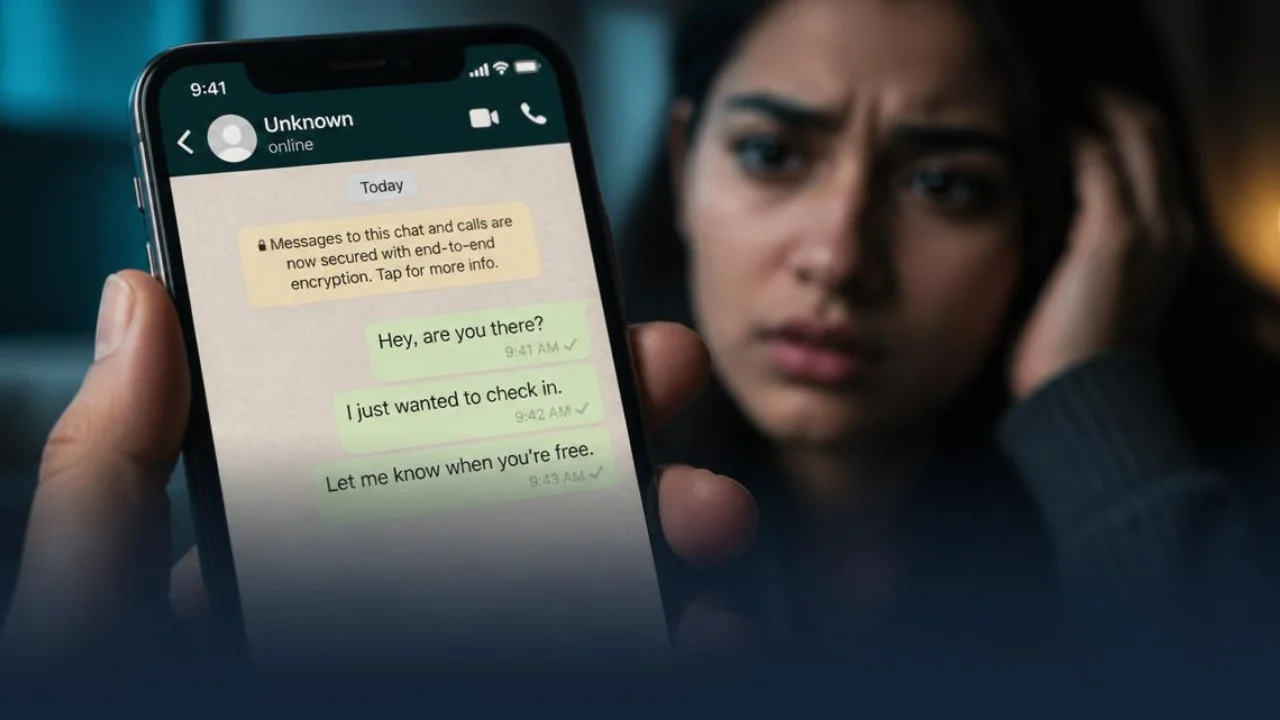
Blocked on WhatsApp? This question can be very frustrating, especially when the conversation suddenly stops and the other person simply disappears. Since the app doesn't send any clear notification, we're left wondering if we've been ignored or actually blocked. And in many cases, all we want is a definitive answer.
In this article, you'll discover the main signs that indicate if someone has blocked you on WhatsApp. We'll explain clearly and practically what to look for to clear up any doubts once and for all. Keep reading and find out how to end the uncertainty and understand once and for all what's happening!
The person's photo disappeared.
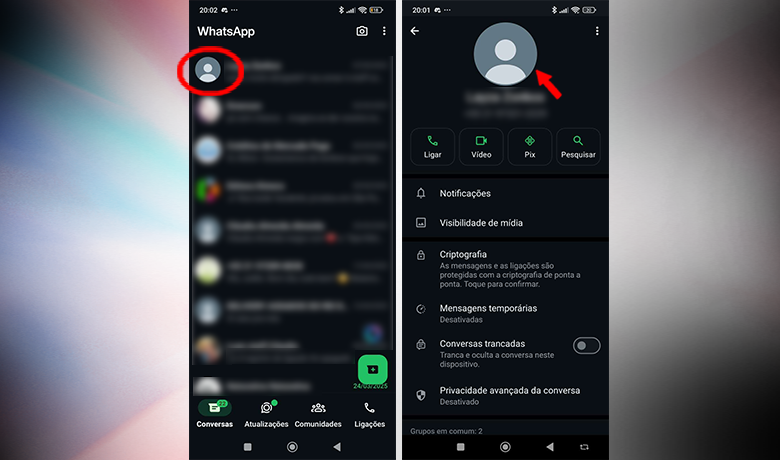
One of the most common ways to tell if you've been blocked on WhatsApp is to look at the contact's profile picture. When someone blocks you, the image usually disappears and is replaced by the default avatar: a white figure on a gray background. If this happens suddenly, it could be a sign that you've been blocked.
However, it's important to be cautious. Some people configure the app so that only saved contacts can see their photo. Additionally, if the person has changed phones or lost their contact list, WhatsApp may classify you as unknown, hiding your image even without blocking you.
Another indication that you've been blocked on WhatsApp is the disappearance of the profile description. When you open the conversation and tap on the name (or photo, depending on the device), you can access the contact's information. If nothing appears there, this could be another sign that you've been blocked.
Online status
Another sign that you may have been blocked on WhatsApp is when the contact stops appearing as "online" or stops displaying the "last seen" status for a long time. This information usually appears just below the person's name on the chat screen and indicates whether they are currently active or when they were last online.
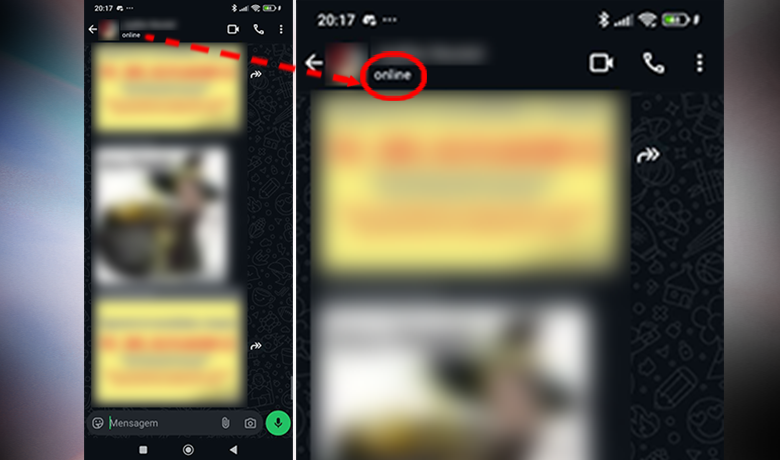
However, this indication should be analyzed with caution. WhatsApp allows any user to hide this information in their privacy settings, even without blocking anyone. In other words, the fact that you don't see this data doesn't necessarily mean you've been blocked on WhatsApp.
To be more certain, it's best to cross-reference this behavior with other signs, such as the disappearance of the profile picture or the absence of a description. Only by gathering more than one piece of evidence will you be able to draw more informed conclusions about a possible block.
Stories or statuses disappear.
Another sign that you may have been blocked on WhatsApp is the disappearance of the Status updates from that person who used to post frequently. Status updates work like Instagram Stories, and when someone blocks you, you simply stop seeing any new posts made by that contact.
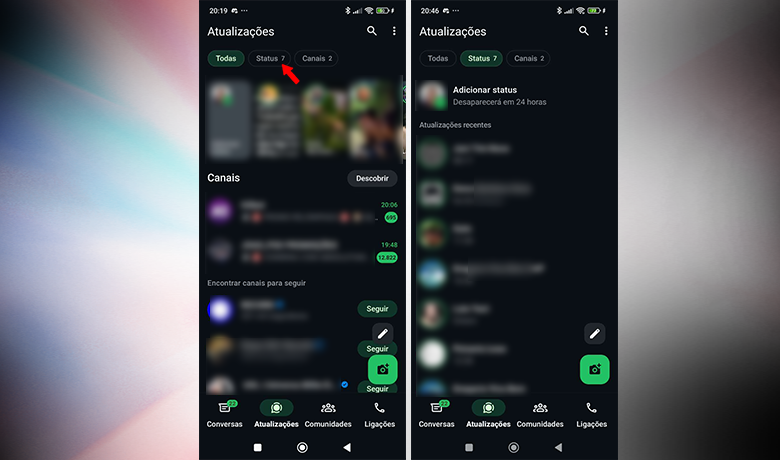
However, it's important to analyze this behavior carefully. The absence of new Status updates may simply mean that the person has temporarily stopped posting. Still, if they used to be active and suddenly you see nothing anymore, it's worth considering the possibility of blocking them.
If you really want to know if someone has blocked you on WhatsApp, combine this clue with other signs, such as the absence of a profile picture or "last seen" status. None of these factors alone confirms the block, but together they help to form a clearer picture of the situation.
You can no longer call the person.
One of the less discussed, but quite useful signs of whether you've been blocked on WhatsApp is trying to make a voice or video call through the app. If the call keeps ringing indefinitely and is never answered, your number may have been blocked. The detail is that, from your end, everything seems normal, but the other person's phone doesn't even ring.
This behavior is different from what happens when someone is busy or has their phone turned off. In the case of a block, the call simply doesn't reach its destination, even if the app keeps trying. This is a discreet but effective way to check if you are experiencing any contact restrictions.
If you suspect something, open the conversation with the contact and tap the phone or camera icon at the top of the screen. An attempted call can be another indication that you've been blocked on WhatsApp, especially if accompanied by other signs such as the absence of a profile picture or delivered messages.
The messages you send are not delivered.
One of the clearest signs that you may have been blocked on WhatsApp is when your messages never get past the gray check mark. This symbol indicates that the message has been sent to the server. WhatsApp, But it didn't reach the other person's phone. If the two checkmarks never appear, even after days, it could be a strong indication of a block.
It's important to remember that this can also happen if the contact is offline or has their phone turned off. Therefore, the tip is to observe how long the message remains with only one checkmark. If this continues for no apparent reason, the chances of you being blocked on WhatsApp increase considerably.
Another simple test is to delete the contact from WhatsApp and check if, when adding it again, you can still access the profile picture or the "last seen" status. If nothing is displayed, even with the number saved, this reinforces the suspicion of being blocked. Combining this behavior with other signs, it's possible to draw more accurate conclusions.
Conclusion
Being blocked on WhatsApp can cause doubt and insecurity, especially when the signs appear subtly. Throughout this article, we explain the main indicators that help identify a possible block, such as the absence of a profile picture, the lack of a "last seen" status, the disappearance of Status updates, and messages that are never delivered.
Now we want to hear from you: have you ever been in a situation where you suspected you had been blocked on WhatsApp? Share your experience in the comments and exchange ideas with other readers. And also check out... Our article on how to send messages on WhatsApp without saving the person's contact.. It can be useful in many situations!
Frequently asked questions
Is it possible to send messages to a contact who has blocked me on WhatsApp?
It's not possible to send messages to a user who has blocked you on WhatsApp, at least not within the app.
How can I call someone who has blocked me on WhatsApp?
It's not possible to call someone who has blocked you on WhatsApp; calls can only be made from outside of WhatsApp.