

If you're one of the many players used to the Roblox platform, you're probably already familiar with the system of codes to redeem rewards. This is a way that games have found to encourage players to keep playing, as they can receive various bonuses to improve their experience.
All Star Tower Defense is a great option from Roblox for fans of anime and manga, since you can defend towers by setting up defensive lines with various well-known characters from the otaku universe. In today's article we'll list the codes for All Star Tower Defense so you can redeem the rewards in this game! Are you new to the game? Then check out the list below and get off to a good start with these rewards!
Active All Star Tower Defense codes
- bigcode3Use this coupon to redeem your current NOVOCopy rewards.
- game11Offers a package containing 100 Stardust and 300 Gems.
- ultramicroActivate this code to guarantee a bonus of 300 Gems and 100 Stardust.
- superdaydaykid100ksubsA special historical code that grants Gems and Stardust to players.
- superluffysubcount: Rewards users with a combination of resources (Gems and Stardust) in celebration of reaching a subscriber count.
- sbrupdate: Unlocks essential items, including Gems and Stardust, related to the SBR update.
- omgupdate2024: Guarantees a special bonus from the 2024 update, consisting of Stardust and Gems.
How to Redeem All Star Tower Defense Codes
Now that you have the new codes for All Star Tower Defense you'll also need to know how and where to redeem them. We've prepared a simple and objective guide for you below, so just do as we say and you won't go wrong! Your rewards will be available in your account.
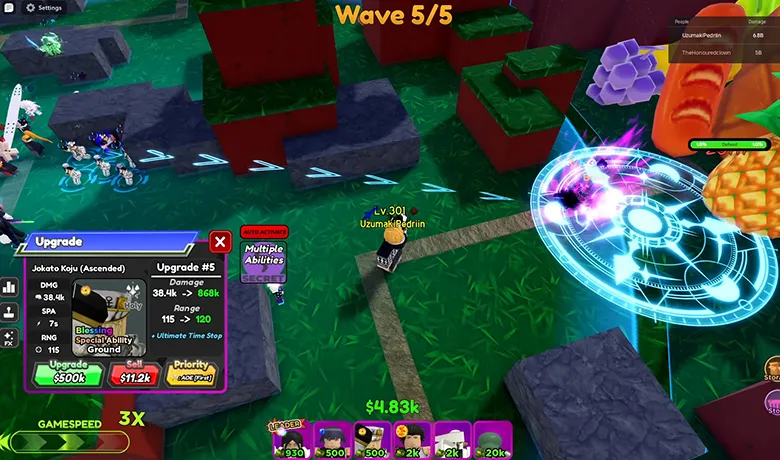
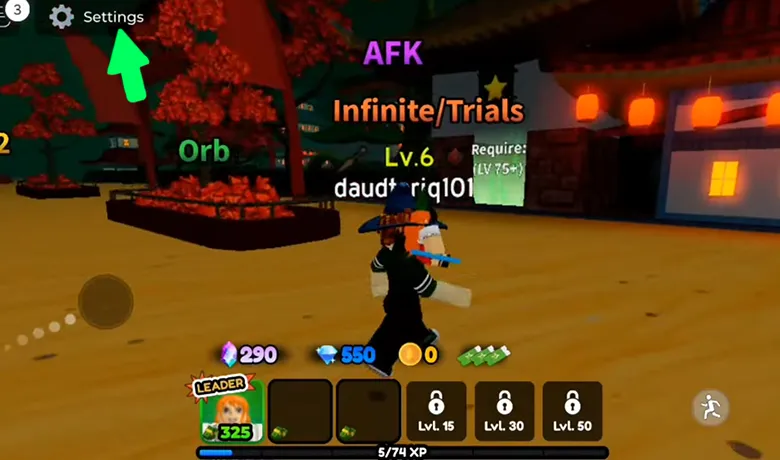
First of all, you'll need to start the game as you can only redeem codes while the title is running, so go to the game's home screen and press the green key to log into your account. Once inside, look for the settings button in the top left-hand corner of the screen.
As soon as you click on the settings section, a menu will appear with a tab marked "Enter Code Here" at the bottom. This is where you need to paste the code you have copied so that you can redeem your rewards. It's important that all the codes in All Star Tower Defense don't have any spaces at the beginning or end or you won't be able to get your rewards.

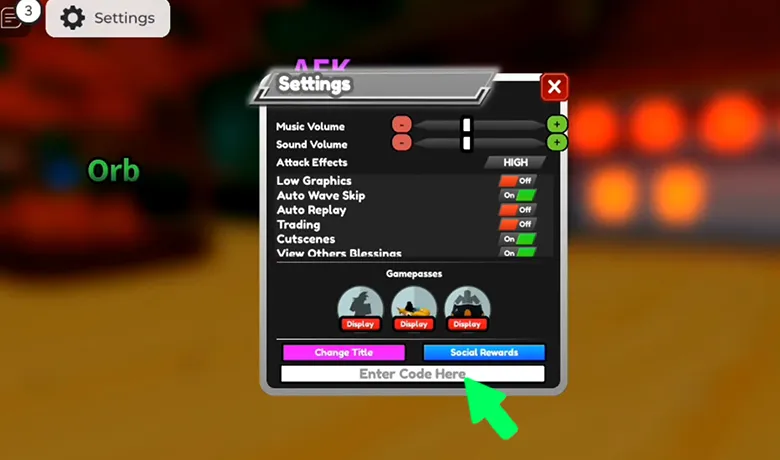
It's also important to remember that the game doesn't usually warn you if a code is wrong or expired, so if you check your inbox and there are no rewards, make sure you've entered the code correctly or there's been a mistake. If you follow all these steps and tips, you're sure to be able to take advantage of the All Star Tower Defense codes without any problems!
Conclusion
Start the game with All Star Tower Defense can make your gaming experience much smoother, so we hope we've helped you get started. If you're a veteran of this road, we also hope that the codes we've provided have helped you in some way and that you're having fun protecting your towers with your favorite characters!
Don't forget to let us know in the comments if everything went well when you redeemed the codes! Also check out our article with redemption codes for the Blox Fruits game and the video we've put together for you below! We're sure you'll like it!