

We live in a digital age where the smartphone is an extension of our body, storing everything from personal photos to bank passwords. However, few people realize that their cell phone may be infected with dangerous viruses and malware, acting silently and putting all this data at risk. The worst-case scenario is precisely this: you may have a compromised cell phone and not even suspect it. But how do you know if your cell phone has a virus?
To help you avoid falling into this trap, we've compiled in this article the 10 main signs that may indicate your cell phone has a virus. Pay attention to each one and see if your device exhibits any suspicious behavior. At the end of the article, you'll also learn how to remove the virus and make your device safe again.
1. Frequent Overheating
Unexplained overheating of a cell phone is one of the first signs that the phone may be infected with a virus. When malware or viruses are active in the background, they force the processor to work harder than normal, resulting in increased temperature.
Excessive heat not only compromises the device's performance but can also reduce battery life and damage internal components. If your phone overheats even when it's idle or has only a few apps open, it's worth investigating.
2. Slow Performance
Have you noticed your phone freezing, opening apps slowly, or having difficulty performing simple tasks? This behavior can be caused by malware that consumes RAM or processor memory in the background. In other words, it's a great way to find out if your phone has a virus!

In addition to slow performance, the system may experience frequent malfunctions, such as freezes or forced shutdowns. This occurs because the virus overloads internal resources, impairing the overall functioning of the device.
3. Battery Draining Quickly
Another common sign that your cell phone may have a virus is abnormal battery consumption. This happens because the malware constantly performs actions without your knowledge, such as collecting data or displaying ads.
Even if you're not using the device, the battery continues to drain quickly. If you've already checked that there are no resource-intensive applications running in the background and the battery is still draining, the problem may be a virus.
4. Excessive Use of Mobile Data
Have you noticed your data plan is running out faster than usual? This could be a sign that malware is using your connection to send or receive information without your permission. Therefore, knowing if your phone has a virus can be directly related to your mobile internet connection.
Malware often constantly connects to the internet to communicate with hacker servers or load advertisements. This not only consumes your data but can also expose private information stored on your phone.
5. Unknown Applications Installed

Have you found apps on your phone that you don't remember installing? This is a strong warning sign that something is wrong! Viruses can automatically install malicious software to perform more actions on the device, and this can be crucial in determining if your phone is infected.
These apps often have strange names, generic icons, and unknown functions. Besides compromising security, they can steal banking information, spy on your activities, or force constant ads.
6. Constant Pop-ups and Advertisements
If you are being bombarded with ads, pop-ups, and advertisements that appear even outside of browsers, this is a classic sign of adware (a type of malware that displays advertisements without consent), which can be an indicator of whether your phone has a virus.
Besides being extremely annoying, adware can redirect you to malicious or fake websites. In more serious cases, it can even capture your clicks to carry out scams and phishing attempts.
7. Sending Unintentional Messages
If your contacts are receiving strange messages with suspicious links, your phone may be infected. Some viruses access your address book and use your name to spread to other devices, so be careful.

This type of behavior aims to trick friends or family into clicking on the links and infecting their devices. It's a silent and dangerous way to spread malware and a way to find out if your phone has a virus.
8. Improper Charges
Are you receiving invoices with charges you don't recognize? This could be a way to find out if your phone has a virus and is perhaps making purchases or subscribing to premium services automatically. This scam is common with malware that disguises itself as legitimate apps.
In addition to financial losses, these charges can continue month after month if you don't identify their source. Carefully check your bank account and the permissions of any installed apps.
9. Strange Redirects
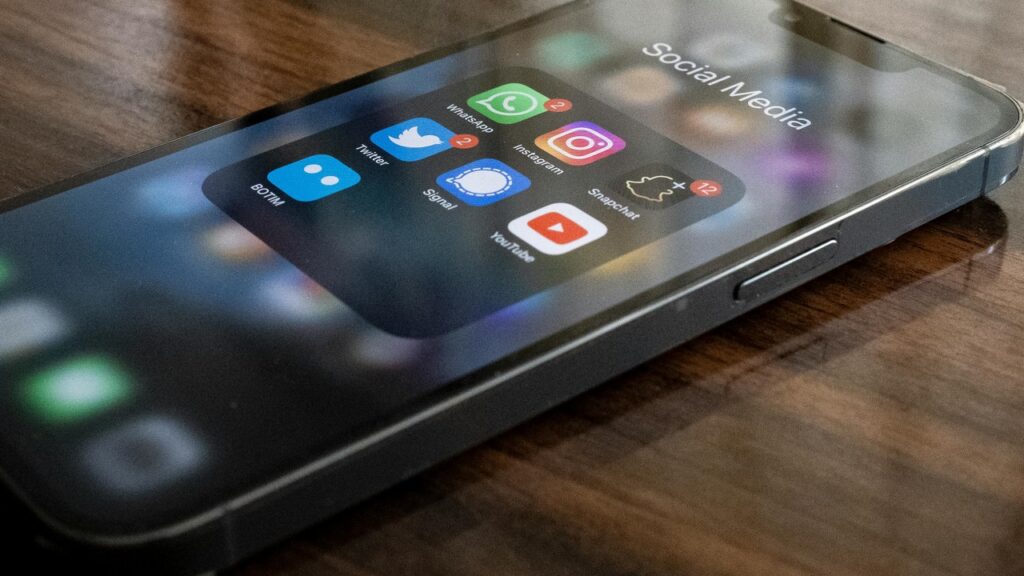
When trying to open a regular website, are you redirected to another page full of ads or dubious content? This is a clear sign that your phone may have a virus that manipulates your browser.
These redirects not only compromise your browsing experience but also expose your device to new attacks. Furthermore, many of these sites try to trick users into downloading more viruses disguised as updates or alerts.
10. Excessive Permissions in Apps
A simple flashlight app asking for access to your camera, microphone, and contacts? That's not normal! Many malware programs disguise themselves as harmless apps to obtain excessive permissions and spy on the user.
Check your phone's settings to see if any apps have unnecessary permissions, as this can help you determine if your phone is infected with a virus. Denying these permissions is an effective way to block malicious software.
How to Remove Viruses from Your Cell Phone
If you've made it this far and recognized some of these signs on your device, don't worry: all is not lost! Removing viruses from your cell phone is possible and can be done safely with the right steps. Below, you'll see three effective methods to get rid of malicious applications and protect your device from new threats.
Manual Removal of Malicious Applications
The first step is to check the list of installed applications and remove any unknown or suspicious items. Go to settings, access "Applications" and uninstall anything you don't recognize.
If you can't remove an app normally, try force-stopping it or revoking its permissions before uninstalling. This manual cleanup is a direct way to eliminate potential sources of infection.

Restart and Safe Mode
Restarting your phone in safe mode allows the system to load only the native applications, Disabling any third-party apps helps identify if the problem is being caused by recently downloaded software.
With safe mode enabled, try uninstalling the suspicious apps. If the phone returns to normal performance, it's a clear sign that something malicious was installed.
Clear Cache and Data
After removing malicious applications, it is essential to clear the cache and stored data. This prevents residual virus files from remaining active on the system.
Access your browser and application settings, clear your history, stored data, and cache. This action improves performance and helps ensure that no traces of the infection remain.
Conclusion
Knowing if your cell phone has a virus can be the difference between keeping your data protected or falling victim to dangerous scams. Paying attention to the signs of infection and acting quickly is essential to keeping your device and your information safe. If you suspect something unusual, follow the guidelines in this guide and perform a full scan.
Take the opportunity to read also: Stop using social media the wrong way.!