

Telegram is one of the world's most popular messaging apps, known for its security and for allowing private conversations. But sometimes you send a message and wonder: is the person busy or have they blocked me? If you want to know how to find out if you've been blocked on Telegram, this article is for you!
Throughout this text, we'll show you the main signs to identify if someone has blocked you on the app. With simple tips, you can resolve this annoying doubt and move forward with more clarity. Keep reading to find out everything and never be in the dark again!
How to know if I've been blocked on Telegram
If you're wondering how to know if you've been blocked on Telegram, know that there are some clues that can help identify this situation. Although the app doesn't send any official notifications, certain signs make it clear when someone has blocked you. Below, we've listed the five most common ways to find out safely and discreetly. Pay attention to each one and clear up any doubts!
Calls are not completed.
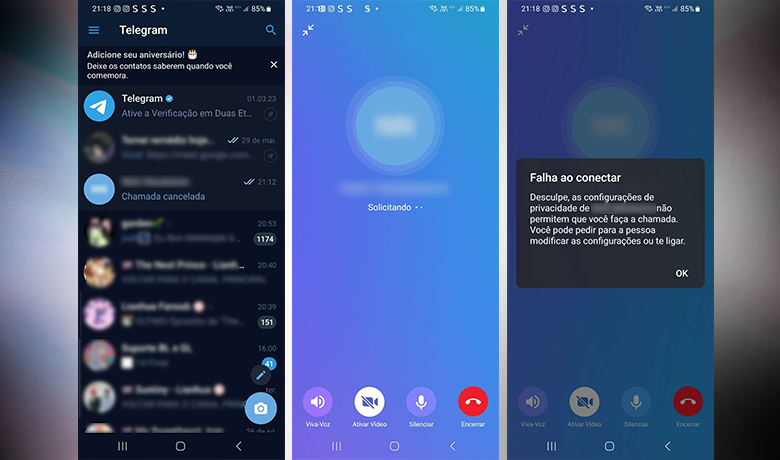
An important tip for anyone wanting to know how to find out if they've been blocked on Telegram is to try voice or video calls. When a contact blocks you, the app usually prevents the call from being completed, displaying a privacy-related message.
This method is quite useful for finding out if I'm blocked on Telegram, since being blocked directly affects communication. If the call doesn't go through at all, it's likely that you've been prevented from contacting that person.

Contact photo not displayed.
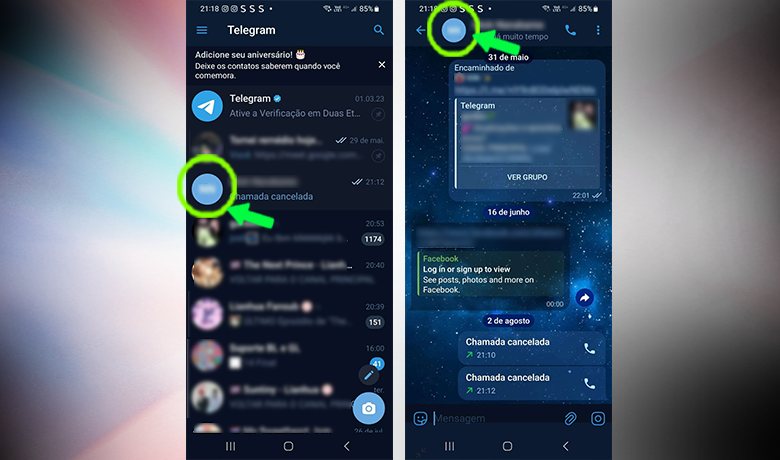
A practical way to know if you've been blocked on Telegram is to check if the person's profile picture has disappeared. When someone blocks you, the app stops displaying their image, showing only their initials as an icon.
This signal can be very helpful in determining if someone has blocked you on Telegram, especially if the image was previously visible. While not definitive proof, it's a strong indication that your contact has been restricted by that person.
Status unavailable
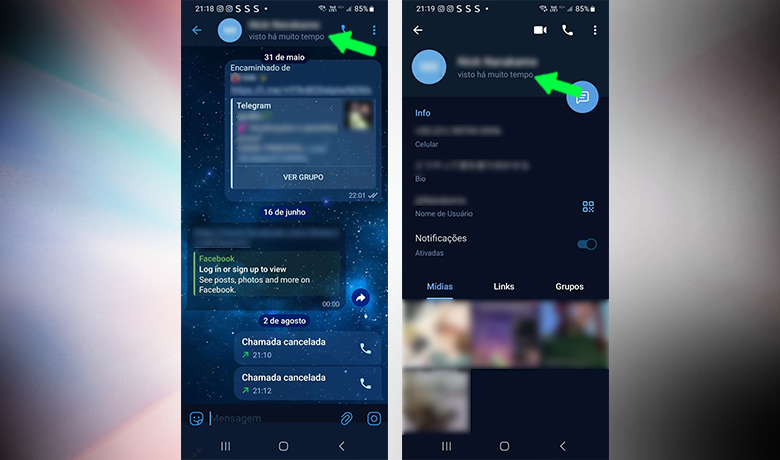
One of the most common signs of knowing if you've been blocked on Telegram is the absence of status updates. When someone limits your access, you stop seeing if the person is online or the last time they were on the app.
If, upon opening the conversation, the status only shows the phrase "Seen a long time ago," this may indicate that the contact has blocked you. This is one of the most reliable clues offered by the platform.
Unable to add the person to groups
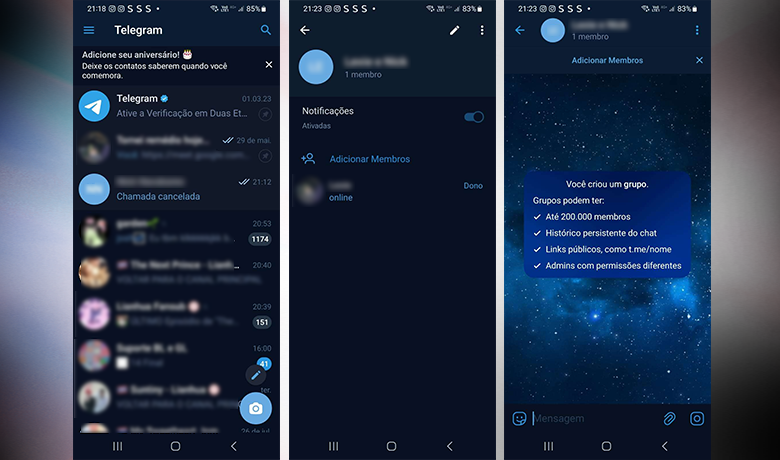
Another efficient way to find out if you've been blocked on Telegram is by trying to add the contact to a group. If the other person has blocked you, the app simply won't allow you to complete this action.
Additionally, if you're already in the same group, that person's name and profile picture may no longer be visible to you. This could be a strong indication that you've been blocked. See below how to perform this test.
Unable to initiate secret conversations
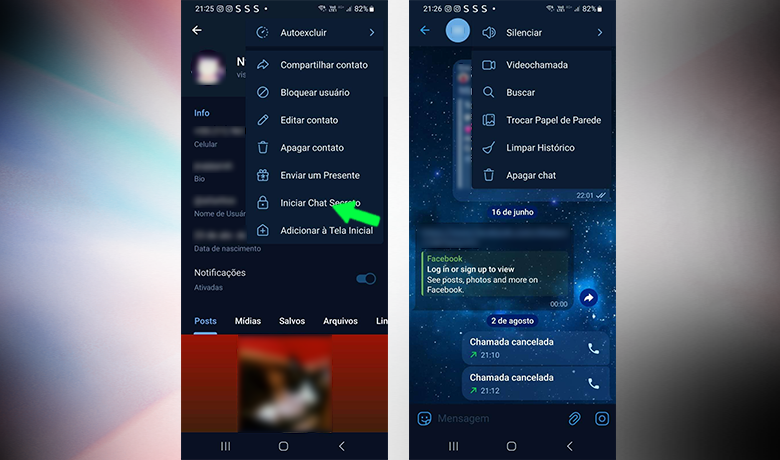
One of the simplest ways to find out if you've been blocked on Telegram is to try initiating a secret chat with the person. This type of conversation is only allowed between users who haven't blocked each other, so it's a good way to test if you've been blocked.
To do this, open the conversation with the contact, tap on their profile picture, and go to the "More" option. Then, select "Start secret chat". If an error message appears or the function simply doesn't activate, there's a good chance you've been blocked by that user.
Practical tests to confirm the blocking.

Beyond these simple ways to find out if I've been blocked on Telegram You can send a direct message to the contact. When the person views it, two checkmarks appear. If, for days, the message remains with only one checkmark, it may be a strong indication of being blocked.
Another helpful tip is to try creating a group and adding the contact. If an error message appears when you try to include them, or if the action is not completed, this may indicate that you have been blocked and no longer have permission to interact directly with the person.

Finally, try reacting to a message you exchanged previously. If you can't react to that specific conversation, it may be further evidence that you've been blocked. Each method alone isn't definitive, but together they greatly help in identifying a block.
Conclusion
Now that you've learned how to tell if you've been blocked on Telegram, you can use different signs to confirm your suspicion. Lack of message read receipts, errors when creating groups, failed calls, or even problems creating secret chats are important indicators that help clarify the situation.
We hope this content has helped you understand how to find out if you've been blocked on Telegram in a practical way. Share your experience with us in the comments! And if you also want to find out if you've been blocked on another app, check out... Our complete article on how to find out if I'm blocked on WhatsApp..
Questions that might interest you
If I block someone on Telegram, will that person be notified?
No. Telegram does not notify blocked users.
Is there a way to know if someone deleted their Telegram account or blocked me?
When an account is deleted, you may see a "deleted account" message. If you don't see it, you can use our tips to get an idea of whether you've been blocked on Telegram.